-
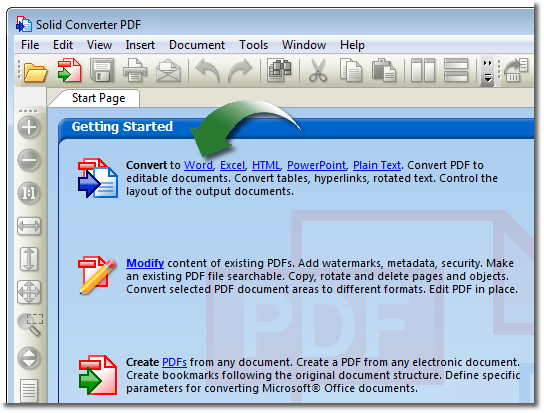
Getting Started. To convert a PDF document into a Microsoft® Word document, simply
- Open your PDF file in Solid PDF Tools
- Select Convert to Word
- Convert!
You can also click the Convert PDF to Word link in the Solid PDF Tools Start Page "Getting Started" palette.
-
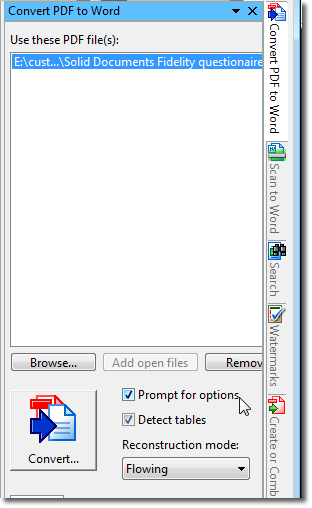
Advanced Options. To convert a PDF document to Word using the advanced options dialog screen, simply check the "Prompt for Options" check box. Solid PDF Tools will then prompt you before each conversion for specific conversion options such as Layout, Image Recovery, Table Detection and more.
-
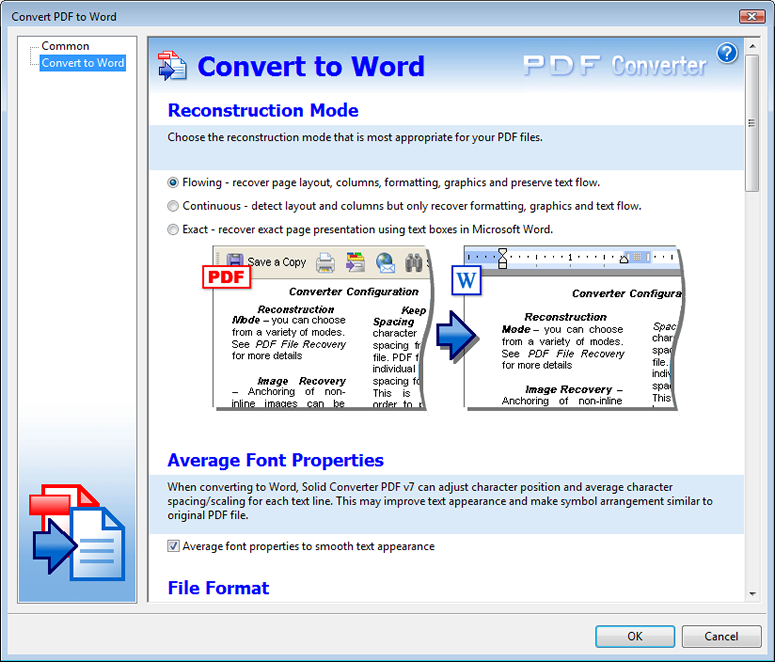
Layout and Formatting. Choose the reconstruction mode that is most appropriate for the conversion of your PDF document.- Flowing - Recovers page layout, columns, formatting, and graphics, and preserves text flow.
- Continuous - Correctly reconstructs the text order but will only recover paragraph formatting, graphics, and text flow.
- Exact - Uses Word text boxes to ensure that the text and graphic layout in the Word document is the same as the PDF document.
-
Table Detection. Table detection may be applied when Flowing or Continuous reconstruction mode is used in Solid PDF Tools to recognize page layout. This option is ideal for text documents.
-
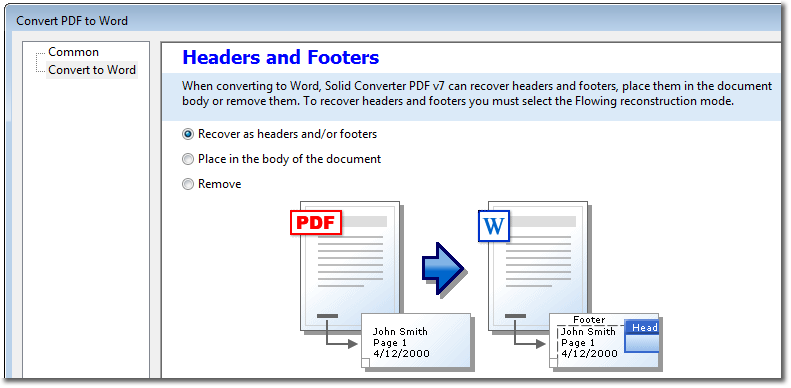
Headers and Footers. Solid PDF Tools provides you with the option for converting headers and/or footers. This allows you to place them in Microsoft® Word's header/footer feature, keep them on each page as separate text boxes, or remove them altogether. To recover headers and footers you must select the "Flowing" reconstruction mode.
-
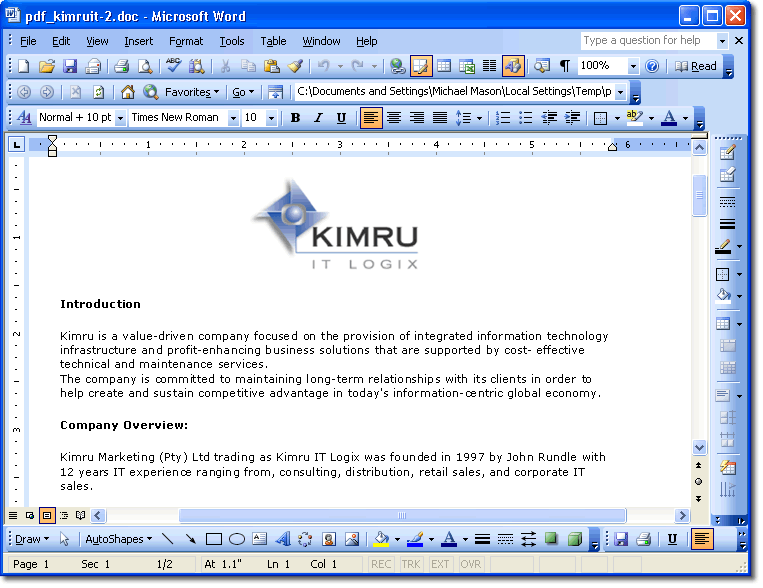
Converted File. Your converted PDF document will automatically open in Word for editing after converting with Solid PDF Tools.
|