Einfache Konvertierung von Grafiken in ein anderes Format
Changing multiple graphics from one file format to another is incredibly easy with Solid Converter GX. The whole process can be done in seconds. Step 1
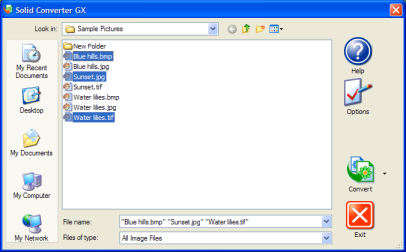
Select Graphics Files On the Solid Converter GX main screen, hold down your CTRL key and select all the graphics you want to convert. (Note that the starting format does not need to be the same – you can, for example, mix BMP, TIF, and JPG graphics.)
Step 2
Select Conversion Output
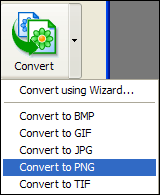
Click the down arrow next to the Convert button, then select the output to which you want to convert all your files (for example, PNG). (Note: do not click the Convert button itself.)
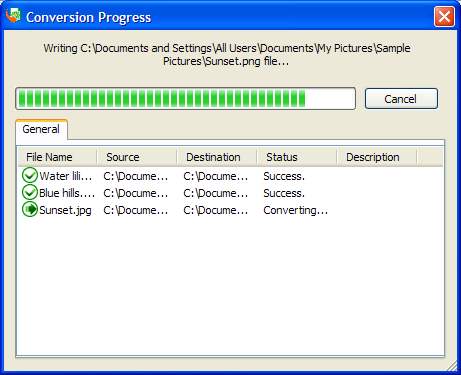
The conversion will automatically begin.
Step 3
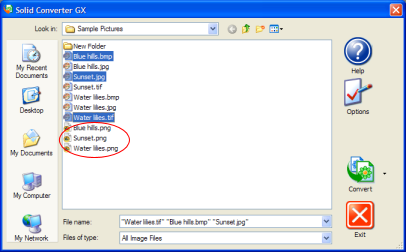
Conversion Complete You will see the new files appear in the same directory as the original files. If desired, you can now edit the or view the files in your graphics editing program.
| 