Desktop Products: | |
| |
| |
| Process Automation: | |
| |
| Software Development: | | | | | |
| |
  |
Quality PDF to Word Conversions | | |
|
-
Solid Converter vs. Other Converters. Though there are other PDF to Word converters on the market, their PDF to Word conversion capabilities pale in comparison to Solid Converter. This means that a Word document converted with Solid Converter will generally be much easier to edit and repurpose. Here are a few ways in which our conversion results excel:
- Complex document layout handling
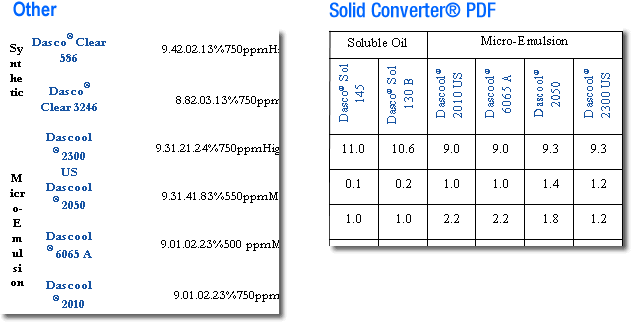
- Advanced table recognition
- Sophisticated header and footer detection
- Hyperlink retention
- Separation of text from graphics
- Separation of images into different objects
- Rotated text conversion
- Smaller file sizes
- Text justification
-
Text Justification. Solid Converter retains the original text justification of the PDF document.
-
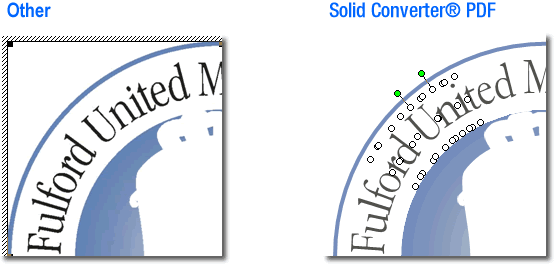
Rotated Text. Solid Converter converts rotated text into editable text and retains the formatting.
-
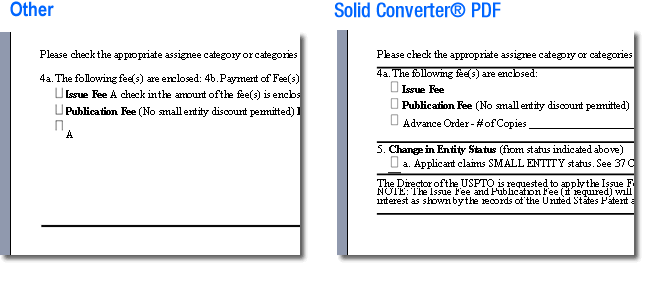
List and Bullet Handling. Solid Converter retains the integrity of the formatting with bulleted and numbered text lists.
-
Text and Graphic Separation. Solid Converter converts text and graphics in the PDF document separately. This makes the graphics and text easier to edit or change.
|
|
|
|