Desktop Products: | |
| |
| |
| Process Automation: | |
| |
| Software Development: | | | | | |
| |
  |
WYSIWYG Content Extraction | | |
|
-
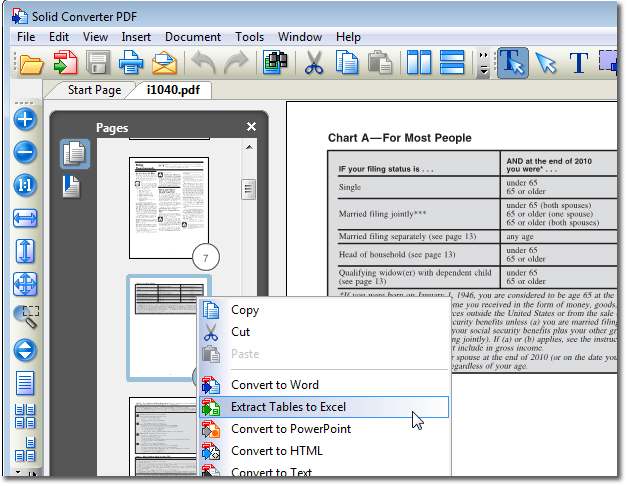
Extracting Tables to Excel. With our WYSIWYG (What You See Is What You Get) user interface in Solid PDF Tools you can extract tables from a selected set of pages within your PDF document quickly and easily. Using Shift+Click or Ctrl+Click, select the desired pages in your PDF. Right-click and select "Extract Tables to Excel".
-
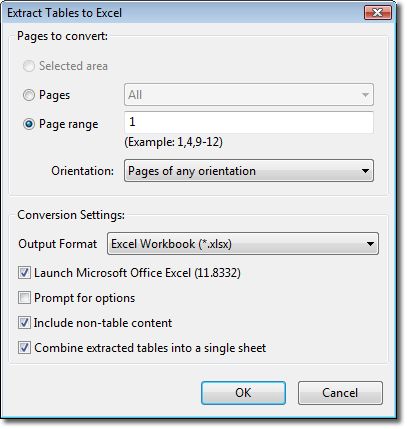
Excel Extraction Settings. You can convert "All Pages" or a specific "Page Range" from your PDF with Solid PDF Tools. Selecting "Launch Microsoft Office Excel" will open your converted document in Microsoft® Excel after your tables have been extracted.
-
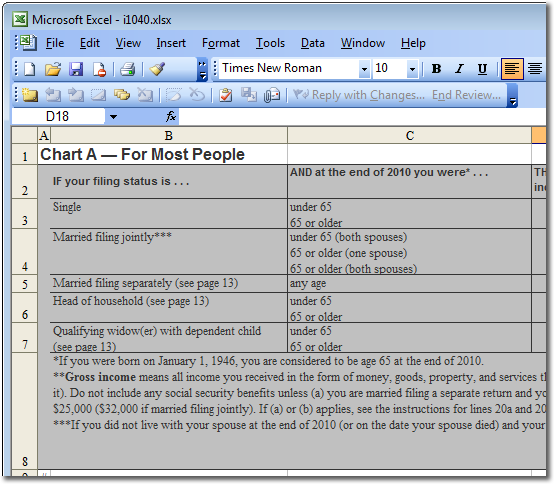
Extracted Tables. Solid PDF Tools extracts your tables directly into an Excel worksheet ready for editing.
-
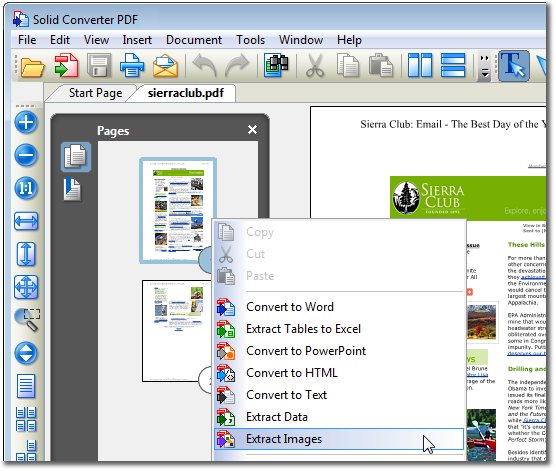
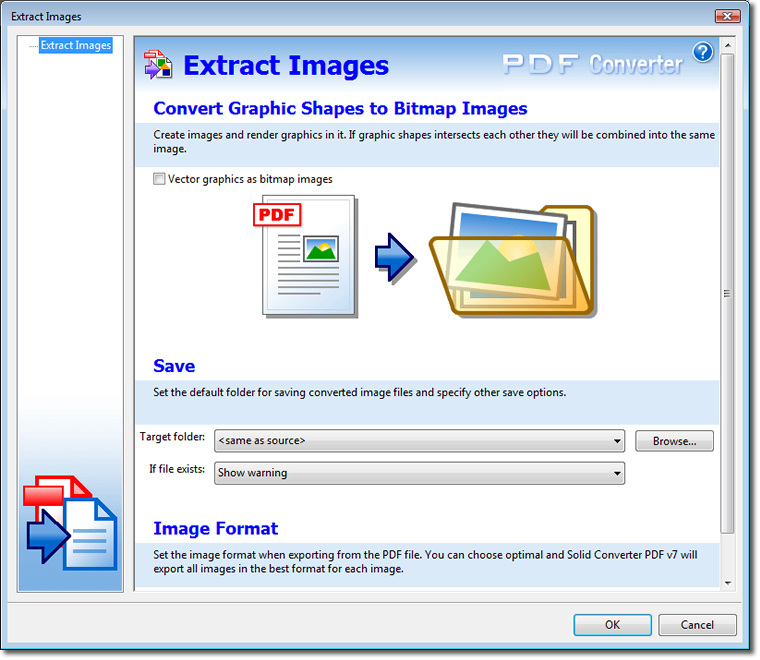
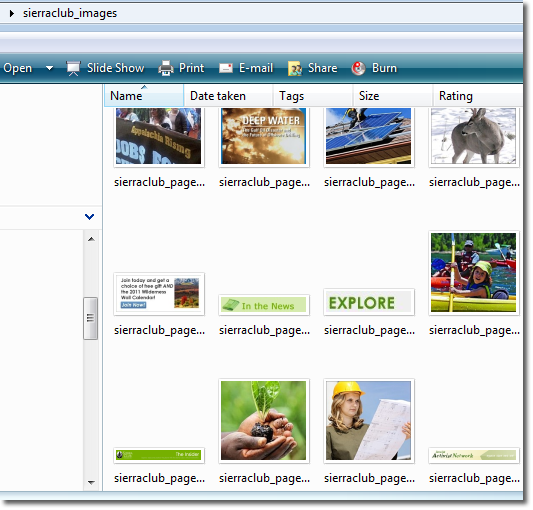
Image Extraction. With Solid PDF Tools you can quickly extract vector and bitmap images from a selected set of pages in your PDF document. Once extracted your images can be used in other documents. Right-click functionality makes image extraction easy.
-
Image Extraction Settings. Selecting the "Prompt for Options" check box opens the Solid PDF Tools "Extract Images" dialog screen which provides you with options for saving your images in a specific file format.
-
Extracted Images. Your images are now available for use.
|
|
|
|