Criando um Novo Arquivo de PDF
Step 1
Open the file in the original program
First, open the file you want to make into a PDF in its native program. For example, if you want to create a PDF file from a Microsoft Word document, open the file in Word. Step 2
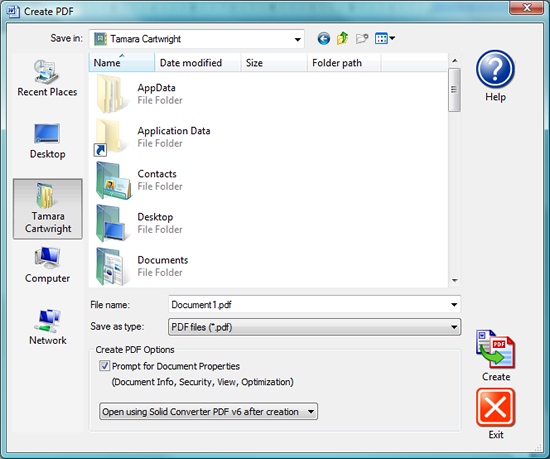
Start the PDF creation process Select File|Print, then select Solid Converter PDF as your printer. The Create PDF dialog opens.
Step 3
Choose File Options In the File Options area at the bottom of the screen, select Prompt for Document Properties if you want ot change your file options. The options you select will be activated after clicking the Create button. Step 4
Assign File Name and Create PDF Make sure the file name is correct, then click the Create button to create your new PDF file.

| 